
Predictive Survey
Planning based on floor plans, site characteristics, requirements, devices and expected demand.
Users, mobile devices, handheld terminals, applications, voice, video and processes increasingly depend on wireless connectivity.
But a good wireless experience does not come simply from installing access points. Coverage, capacity, interference, density, mobility, roaming, security and wired infrastructure must work as an architecture.
ADD Solution designs, implements, analyzes and optimizes corporate Wi-Fi networks based on the physical environment, devices, applications and what actually depends on the connection.
An enterprise wireless network should not be designed just by placing access points on a floor plan.
Building materials, interference, RF conditions, device density, mobility, applications and the physical space all have a direct effect on how the network behaves.
ADD Solution brings together wireless engineering, Ekahau-certified specialists and professional survey tools to run site surveys and to design, measure and validate Wi-Fi networks based on real-world data.
Before installing, we measure.Before deciding, we analyze.After deploying, we validate.
Our Ekahau-certified specialists use professional wireless engineering tools to support the planning, analysis, deployment and validation of enterprise Wi-Fi networks.
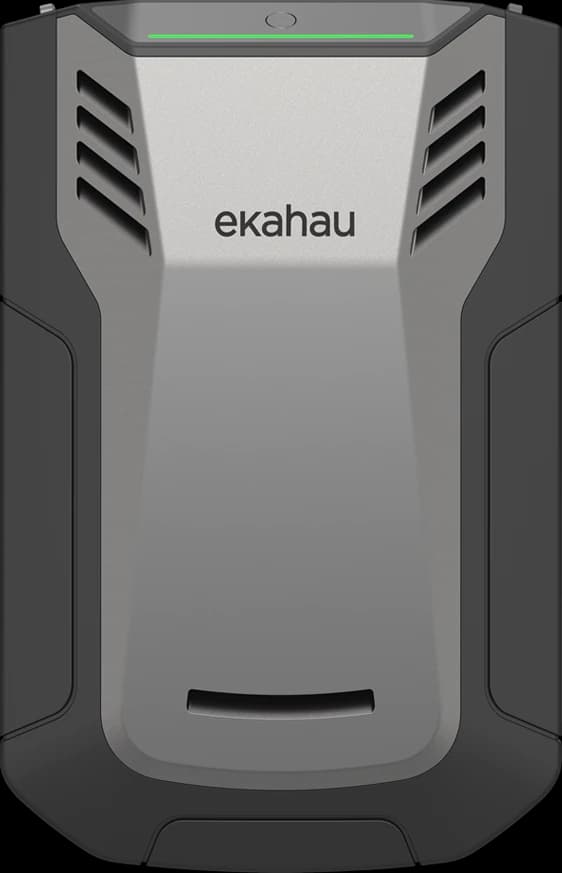
Our survey toolkit includes the Ekahau Sidekick 2, used in design projects and professional site surveys.
It provides specialized wireless measurements and the data behind RF analysis, network planning and technical validation.
Requirements, site, applications and devices.
Technical assessment and site survey.
Coverage, RF, interference and behavior.
Wireless architecture built on requirements.
Installation, configuration and integration.
Post-deployment measurements and design verification.
Planning based on floor plans, site characteristics, requirements, devices and expected demand.
On-site survey to understand the real characteristics of the site and, where applicable, RF behavior.
In an active survey, the survey device connects to the wireless network so we can measure how connections and the live network actually behave.
Measurements taken after deployment to confirm that the delivered network meets the requirements defined for the project.
SINAL≠CAPACITY
COVERAGE≠EXPERIENCE
ACCESS POINT INSTALADO≠VALIDATED DESIGN
Enterprise hardware is only part of the answer. The result depends on how the site, RF, devices, applications, architecture, configuration, deployment and Wi-Fi validation come together.
Having signal does not mean your Wi-Fi is fit for your operations.ADD Solution combines radio-frequency engineering, capacity, mobility, authentication and wired infrastructure to deliver a WLAN aligned with real-world use.

Architecture, implementation and operations treated as parts of the same responsibility.
The signal indicator represents only part of the experience. Noise, interference, channel utilization, retransmissions, airtime, density and client behavior can limit the connection even when RSSI appears adequate.
The experience must be analyzed as the result of the relationship between radio, client, infrastructure and application.
Received signal strength
Signal-to-noise ratio
Shared time on the medium
Competing devices and applications
Coverage answers where a signal is available. Wireless engineering needs to determine whether that signal can support operations.
Walls, materials, structures, devices, other WLANs, access-point positioning, antennas, power and channels influence radio-frequency behavior.
There is no universal number of access points per square meter. Design begins by understanding the space, its use and what must remain connected.
Propagation, physical boundaries and overlap define where a device can establish communication.
The number and behavior of devices, applications and airtime determine whether available resources can support demand.
Covering a space is different from serving everyone in it.
2.4 GHz, 5 GHz and 6 GHz have distinct characteristics and applications. No band can be reduced to “bad”, “good” or “best” without considering the environment and clients.
Channel width, co-channel and adjacent-channel interference, SNR and spectrum analysis must be considered. Wi-Fi 6, Wi-Fi 6E and Wi-Fi 7 expand possibilities, but replacing APs is no substitute for good design.
Roaming depends on the relationship between RF, overlap, power, channels, authentication, infrastructure, application and client device.
The client participates in the decision. Features such as 802.11k, 802.11v and 802.11r can support mobility when compatible and properly implemented, without promises of “perfect roaming”.
Laptops, smartphones, tablets, handheld terminals, IoT and specialized devices have different radios, antennas, drivers, sensitivity, power and standards support.
Two devices in the same location may have different experiences. The design must consider the clients that will actually use the WLAN.
A heat map is a representation. It is not the design. The value lies in the engineering decisions the data enables.
Initial environment modeling.
Measurements and physical validation when needed.
Post-deployment survey to verify actual behavior.
Investigation of interference and spectrum behavior where applicable.
PoE, VLAN, DHCP, DNS, routing, authentication, uplinks and cabling all contribute to the experience. PoE/PoE+/PoE++ and multigigabit may be relevant depending on the access points and architecture.
802.1X, RADIUS, WPA2/WPA3 Enterprise, certificates, identity, segmentation, NAC and guest access can form part of the architecture depending on the context.
Connecting a device and authorizing what it can access are different decisions.Explore Cybersecurity
Large areas, aisles, metal structures, variable inventory, handheld terminals, mobility and roaming.
Explore LogisticsMobility, density, different devices, security and continuity.
Explore HealthcarePhysical environment, interference, mobility and integration with the OT context.
Explore Industrial NetworksThe cause may lie in RF, interference, capacity, roaming, the client, authentication, DHCP, DNS, switching, cabling, WAN or the application.
Wi-Fi is where the problem appears. It is not always where the problem began.
Wireless engineering connects understanding, evidence, deployment, validation and continuous evolution.
Environment, users, devices and applications.
Propagation and initial assumptions.
Actual conditions and spectrum when needed.
Coverage, capacity, channels and integration.
Infrastructure according to the design.
Behavior after deployment.
Evidence-driven adjustments.
Assumptions, configuration and results.
Reassess as the environment and demand change.
Objective answers to technical and operational questions that commonly arise before a project.
Not necessarily. RSSI is only one variable. Noise, interference, airtime, density, retransmissions, roaming, the client and network services also affect the experience.
There is no universal ratio. Materials, layout, devices, applications, density, frequencies and mobility requirements must be considered in the design.
It is the set of modeling, measurement and validation activities used to understand propagation, coverage, interference and environmental behavior. It may include predictive, on-site, validation and spectrum-analysis stages.
Technological evolution expands capabilities but does not replace architecture. Channel planning, RF, clients, uplinks, switching, authentication and applications remain decisive.
The client participates in the roaming decision. Radios, antennas, drivers, sensitivity, power and support for features such as 802.11k, 802.11v and 802.11r may vary.
Yes. The assessment can consider coverage, capacity, interference, roaming, configuration, wired infrastructure, authentication and device behavior to guide its evolution.
Share the context of your environment, the impact you are seeing and the outcome your organization is looking for. ADD Solution will route the conversation to the most suitable specialists.